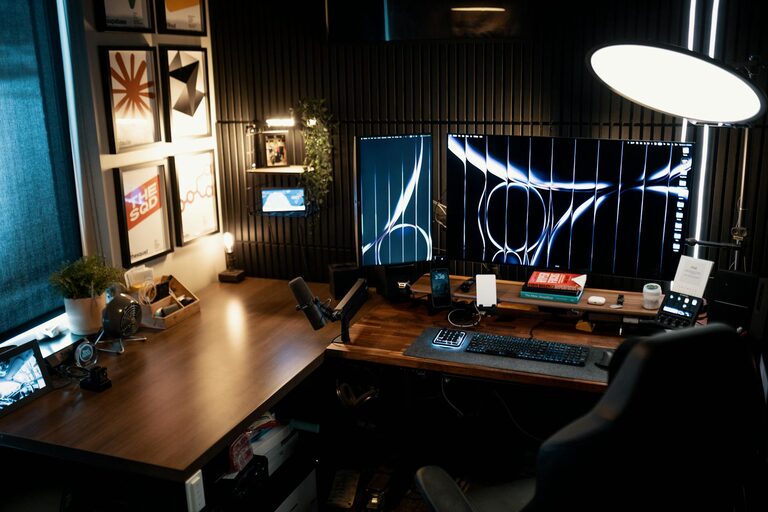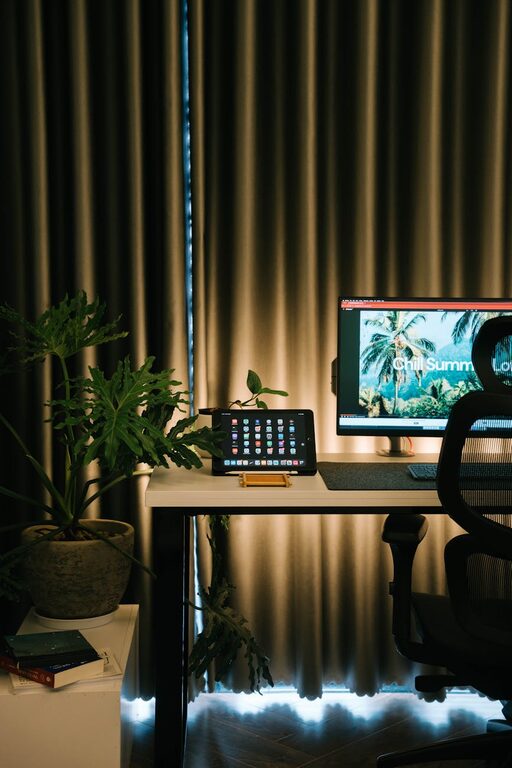
Creating a home office that feels comfortable and supports productivity is essential for anyone working remotely or spending significant time on personal projects. A well-designed workspace can enhance focus, reduce stress, and make your workday more enjoyable. Here are practical tips to help you set up an ideal home office.
Choose the Right Location
Find a Quiet, Low-Traffic Space
Selecting a place in your home with minimal distractions is key. Choose a room or corner away from noise and household activities. This separation helps create a clear boundary between work and leisure.
Maximize Natural Light
Natural light boosts mood and reduces eye strain. Set up your desk near a window if possible. If natural light is limited, ensure your workspace has good quality artificial lighting.
Invest in Ergonomic Furniture
Comfortable Chair
A supportive chair is critical. Look for one with adjustable height and lumbar support. Sitting comfortably encourages better posture, which can prevent back and neck pain.
Adjustable Desk
Consider a desk that fits your needs. Adjustable desks allow switching between sitting and standing, which can improve circulation and reduce fatigue.
Organize Your Workspace Efficiently
Declutter Regularly
Keep your desk clear of unnecessary items. A tidy space helps reduce distractions and allows you to focus better on your tasks.
Use Storage Solutions
Use shelves, drawers, or organizers to keep supplies and documents neatly stored but easily accessible. Label containers if necessary to stay organized.
Set Up Essential Technology
Reliable Internet Connection
A stable and fast internet connection is crucial for productivity, especially if you attend online meetings or upload large files.
Quality Equipment
Invest in a good computer, keyboard, mouse, and monitor(s) that suit your work style. Consider a headset or speakers for clearer audio during calls.
Cable Management
Use cable clips or organizers to keep wires out of the way. This reduces clutter and prevents accidents.
Personalize Your Space
Add Greenery
Plants can improve air quality and create a calming atmosphere. Choose low-maintenance plants like succulents or pothos.
Incorporate Inspiring Decor
Include art, photos, or objects that motivate you. Personal touches make your workspace more inviting and boost morale.
Manage Noise and Distractions
Use Noise-Canceling Headphones
If background noise is an issue, headphones can help you concentrate better.
Set Boundaries with Household Members
Communicate your work hours clearly with family or housemates to minimize interruptions.
Maintain Good Lighting
Layer Your Lighting
Combine ambient, task, and accent lighting to reduce glare and eye strain. Desk lamps with adjustable brightness are helpful.
Avoid Screen Glare
Position your monitor perpendicular to windows or light sources to prevent reflections.
Develop a Routine and Breaks
Designate Work Hours
Having set times for work helps create structure and keeps work from spilling over into personal time.
Take Regular Breaks
Short breaks every hour can improve focus and reduce fatigue. Use these moments to stretch or move around.
Keep Comfort in Mind
Control Temperature
Ensure the room is at a comfortable temperature. Use fans, heaters, or open windows as needed.
Stay Hydrated and Healthy
Keep a water bottle nearby and have healthy snacks on hand. Taking care of your body supports mental performance.
—
By thoughtfully designing your home office space with these tips, you can create an environment that supports both comfort and productivity. Remember that your workspace should work for you and can be adjusted over time as your needs change. Happy working!